I waited a year to buy this and I should not have waited
I have owned a Steam Deck OLED for roughly 14 months. For 12 of those months I did exactly what I suspect most people do: I played it exclusively in handheld, because docking requires you to think about cables, HDMI, keyboards, and that felt like a hassle for a portable. Two weeks ago I finally ordered a $50 dock off Amazon, set it up on a shelf next to my TV, and I am frustrated with myself for not doing this 12 months ago.
TV-mode Steam Deck is a different product than handheld Steam Deck. The Deck is more powerful than you think when you actually let it render to a 1080p or 1440p external display at 60Hz with a keyboard and mouse plugged in. Cyberpunk 2077 on medium/high at 1080p60 looks genuinely good on a living-room TV. Elden Ring is outstanding docked. Baldur's Gate 3 with a mouse is how the game wants to be played. None of this is news to anyone who's been docking since launch. I am reporting from the other side of the fence.
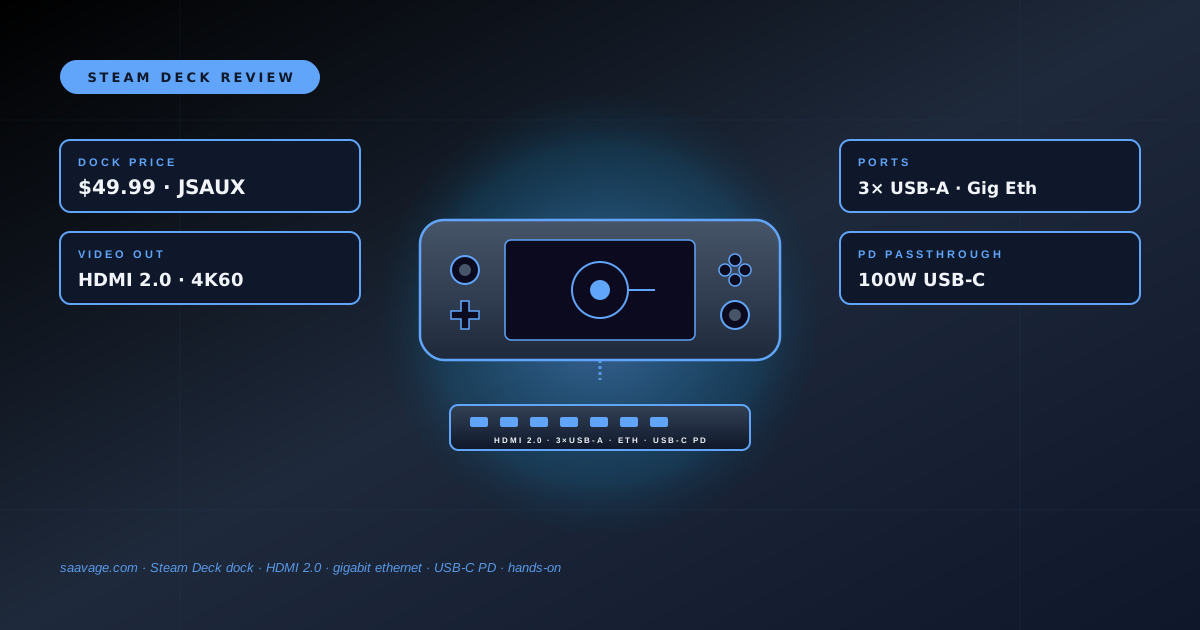
The dock itself is about the size of a paperback book, sits to the right of the Deck on my shelf, and has a soft-touch cradle that the Deck slots into facing outward. The USB-C cable loops out of the back of the dock and plugs into the Deck's top USB-C port. Behind the dock: HDMI 2.0 out, three USB-A ports, gigabit ethernet, USB-C for the charger. You plug everything in once, and from then on you just drop the Deck into the cradle and it powers on into TV mode.
Price: $49.99 on Amazon — roughly half the $89 Valve first-party dock
The specs that actually matter, and the one that doesn't
HDMI 2.0 is the important one. The Deck's APU can push 4K60 to an external display, and this dock supports it. I'm running mine into a 4K TV and the Deck auto-detects 3840×2160 at 60Hz on boot. You won't be playing modern AAA games at 4K60 — the Deck doesn't have the GPU for that — but desktop-mode browsing, video, and any lightweight game works beautifully at 4K. For gaming I run games at 1080p and use FSR to upscale, which is what the Deck's made for.
Gigabit ethernet is the sleeper feature. The Deck's built-in Wi-Fi 6E is fast but flaky in my house. Plugging ethernet into this dock meant my 120GB Cyberpunk install came down in 18 minutes off Steam's CDN. On Wi-Fi that download was consistently hitting 200 Mbps before falling over; on ethernet it saturated 900+ Mbps. If you're ever going to dock and wait for a large download, ethernet alone earns back the price of the dock.
USB-C PD passthrough at 100W is where the cheap docks sometimes lie. I tested this one by charging the Deck from dead while running Elden Ring at 1080p60 — a pretty heavy thermal load — and the battery indicator stayed at 100% and the dock didn't throttle. That's the right behavior. A cheaper dock will sometimes only pass 45W, which means the Deck's battery slowly drains even while 'charging.' This isn't one of those.
Three USB-A ports is the correct number. Keyboard, mouse, Xbox wireless dongle. If you need a fourth port for external storage, you'll need a hub — but you almost always don't.
The spec that doesn't matter: no DisplayPort. Budget docks skip DP because HDMI 2.0 covers 4K60 and 1440p/120 on almost every TV and most gaming monitors. Valve's $89 dock does include DP, which is nice if you have a high-refresh DP-only monitor. I don't. If you do, spend up.
Steam Deck Dock (HDMI 2.0 + Gigabit Ethernet)
3× USB-A · USB-C PD passthrough · 4K60 HDMI · Fits OLED & LCD
Affiliate link. We may earn a commission at no extra cost to you.
Where it falls short of the $89 Valve dock
If you're comparing this directly against the first-party Valve dock, the gap is basically three things. First, the Valve dock has a DisplayPort 1.4 output in addition to HDMI 2.0, which matters for some high-refresh gaming monitors. Second, the Valve dock has slightly better build quality — the cradle is heavier and the materials feel more premium. Third, Valve will support the dock through their update pipeline, which means any future Deck firmware change that affects docking is going to be tested on the Valve dock first.
What the cheap dock gets right: every actual function of the Valve dock is present, at slightly-under-half the price. If you're spending $50 you can't be upset about missing the $39 worth of DisplayPort port and build quality. And the Deck firmware doesn't care what brand the dock is — USB-C alt-mode is a standard, and this dock implements it correctly. I've had zero compatibility issues across SteamOS and Windows (I have a second partition for games that refuse to run on Proton).
The lock-in decision is: is the DisplayPort worth $39? If you don't have a DP-only monitor, no. If you do, buy the Valve dock. If you're undecided, buy the cheap one, live with it for a month, and you'll know. That's the actual advice.
Who should buy a Steam Deck dock at all
The conventional wisdom on the Steam Deck has been that docking is a 'sometimes' feature for couch gaming when you want a bigger screen. I disagree with that framing now that I've lived with one. Docking is what turns the Deck into a full second gaming PC. You get a keyboard-and-mouse experience, a 1080p or 4K display, ethernet, and charging, all from one cable drop. For the people in my life who don't want to build a full gaming desktop but want PC gaming in the living room, the Deck + a $50 dock is genuinely competitive with a $500 console, and it's a better deal for the kinds of games Deck owners tend to play.
If you already own a Steam Deck and you have not bought a dock, and your excuse is 'I only play handheld,' I promise you are leaving a good experience on the table. Buy the $50 one. If you hate it, you've sunk $50. If you love it, you've just added an entire second mode of playing the console you already own.
If you're buying a dock fresh today, I'd go with the $50 tier I've been testing unless you specifically need DisplayPort output. Valve's $89 dock is better-built but not better-functioning for the gaming most people are going to do.
Full disclosure: the Amazon link on this page is an affiliate link — if you buy through it we get a small commission at no cost to you, and it goes straight back into stories like this one. Thanks for reading.