By the Numbers
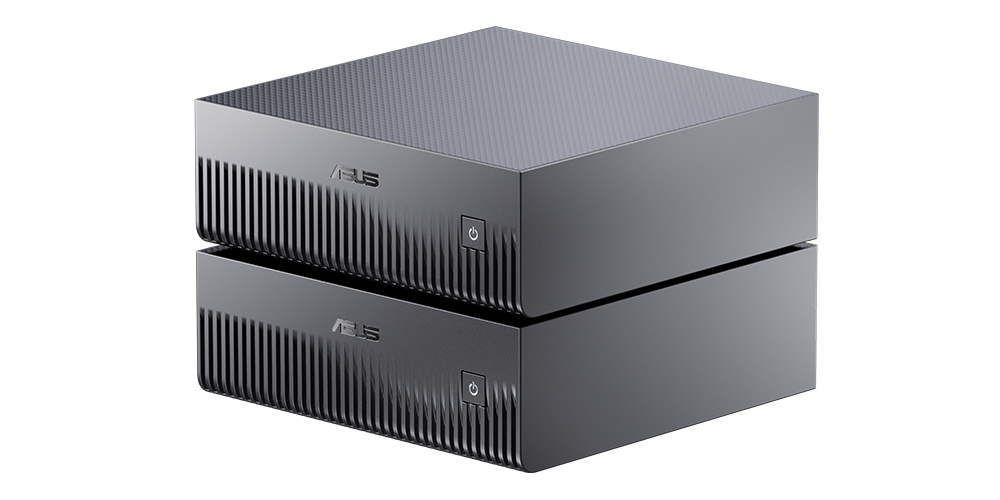
The GX10 is what happens when NVIDIA decides you shouldn't have to rent cloud time to experiment with frontier AI. It is a compact Blackwell-generation workstation built around the GB10 Superchip, and the numbers are the whole story:
AI Throughput
1 PF
FP4 peak, Blackwell tensor cores
Unified Memory
128 GB
LPDDR5x, CPU + GPU shared
NVMe Storage
1 TB
PCIe Gen4 x4, upgradeable
Cluster Fabric
200 Gbps
ConnectX-7 SmartNIC
Wired Network
10 GbE
Built-in, not an add-in card
USB-C Ports
4
40 Gbps each, 2 with DP
Peak TDP
240 W
Desk-friendly, fan-cooled
Launch Price
$2,999
Configurations vary by region
Numbers that small on paper look benign until you contrast with a laptop: this is datacenter-class bandwidth and memory capacity — shrunk to fit next to a coffee mug.
NVIDIA GB10 Superchip delivers up to 1 petaFLOP of FP4 AI throughput in a 240W desktop
Inside the GB10 Superchip
A datacenter-class SoC in a desktop brick
The GB10 Superchip is the whole story. It stitches a Blackwell-generation GPU together with a 20-core Arm Neoverse V3AE CPU on a single package, linked by NVLink-C2C at 900 GB/s. There is no PCIe handoff between the CPU and GPU — memory is unified across the whole chip.
Second-gen Transformer Engine hardware lets it compute in FP4 natively, which is how NVIDIA reaches the 1 petaFLOP marketing number. Concretely: a 70B-parameter model running at FP4 fits comfortably in the 128GB memory pool with room for a full LoRA training loop on top.
The practical consequence: no data-movement tax between CPU and GPU. You can hold a 70B-parameter model, its KV cache, a batch of embeddings, and a LoRA training loop all in the same 128GB pool with no PCIe shuffle. Training loops that would spill to host RAM on a consumer GPU stay resident here.
Built for Local LLMs
The case for keeping inference local used to be privacy and regulatory. The GX10 adds a practical one: at 1 petaFLOP of FP4, a lot of workloads that previously required a cloud instance now finish overnight on your desk.
In concrete terms, the GX10 will comfortably fine-tune LLaMA 70B in FP4 with LoRA adapters, run Mixtral 8×22B at full 128K context, host multi-agent pipelines where several small Claude-class models talk to each other, and iterate on RAG pipelines without burning per-token charges on every experiment.
The moment you stop reaching for an API key every time you want to try something is the moment you ship ten times more experiments.
DGX OS ships NGC-ready. Pulling llama.cpp, vLLM, NeMo, Triton, TensorRT-LLM, or any frontier open-weight model is a single docker command — the same command that runs on H100s in a datacenter, verbatim.
Rear I/O in Detail
The rear panel is where ASUS signals who this box is for. There's no 3.5mm audio jack, no SD card reader, no bag of legacy USB-A. It is five wide-bandwidth pipes and an exhaust vent:
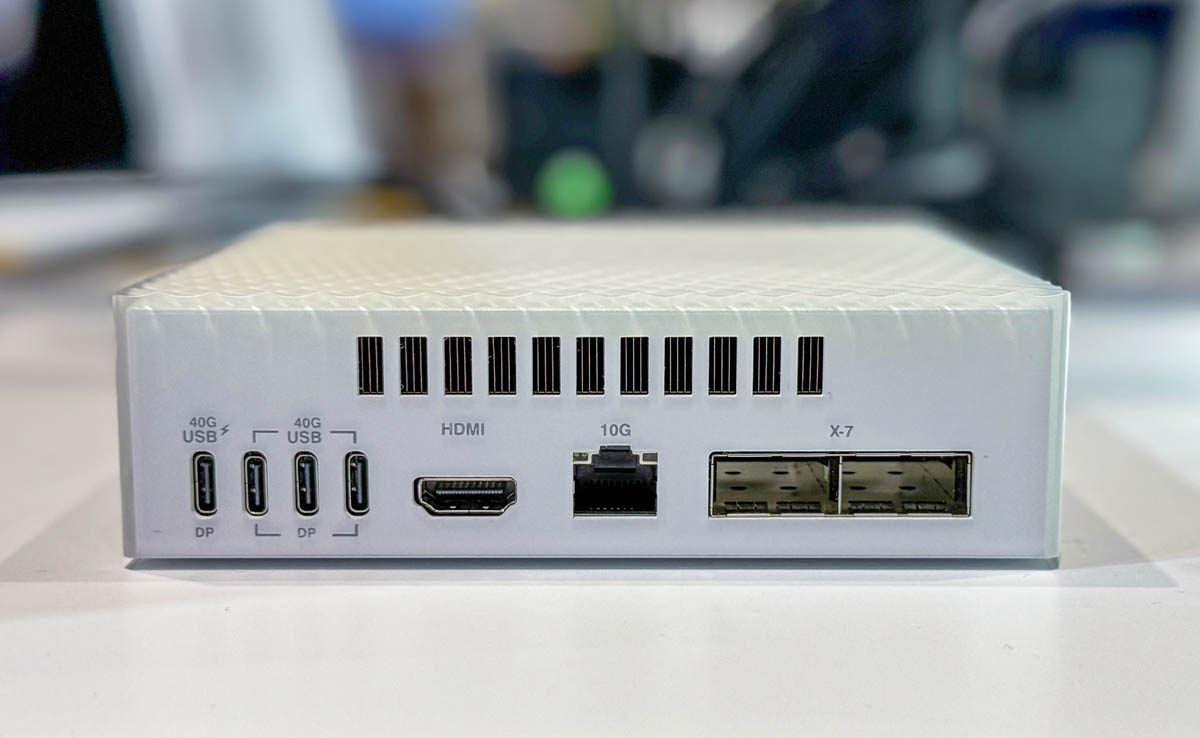
Pay attention to the two QSFP-DD cages labeled X-7. Those are the ConnectX-7 lanes — 200 Gbps per port — and they are the reason the chassis is stackable. Pair two GX10s over a QSFP-DD DAC and you have a single logical 256GB memory pool for models that don't fit on one. That's not a feature you get on any consumer AI box.
Alongside the Class
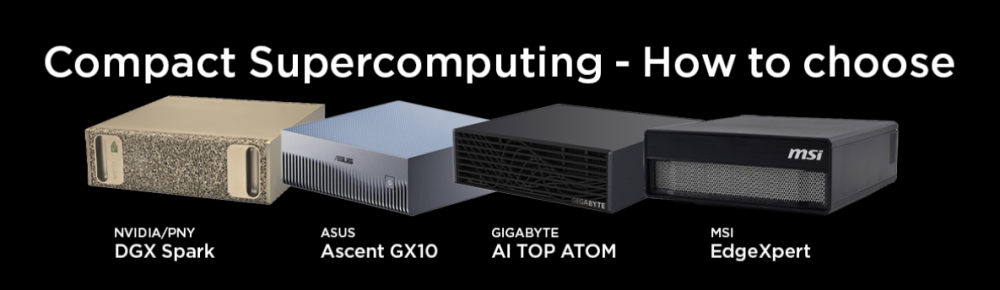
A class, not a one-off
GB10 is shared silicon. NVIDIA's own DGX Spark, Gigabyte's AI TOP ATOM, and MSI's EdgeXpert all wrap the same Superchip in their own chassis — the GX10 is ASUS's take.
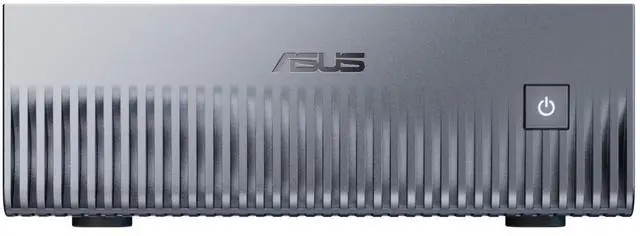
Where ASUS separates is thermals and footprint. The deep-ribbed front face is a passive heatsink, not a style choice: it lets the box sit silent at idle and the stacked profile is explicitly designed so two units share the same 10" of desk and pair-cluster.
Configuration reviews across the four SKUs come down to thermal behavior under sustained FP4 load and whether you need the ASUS stacking story or the MSI rack-friendly EdgeXpert footprint. For a desk and for pair-clustering, ASUS's choices read well.
The Software Story: DGX OS
Hardware sells the headline. DGX OS is the reason you'll keep using it.
DGX OS is Ubuntu 22.04 LTS with the entire NVIDIA AI Enterprise stack preconfigured: CUDA 12.x, cuDNN, TensorRT-LLM, PyTorch with CUDA, Triton Inference Server, and the NGC catalog pre-wired. Docker is first-class. The critical detail is identity with the big-iron product: code you write and validate on a GX10 moves to DGX H100 nodes in a datacenter unchanged.
That isn't true of a consumer RTX build — driver versions, CUDA flavors, and library compatibility matrices bite. Here, the inference environment you develop against at home is the environment prod runs in. For research teams, that portability is the real pitch.
Who It's For — and Who It Isn't
The GX10 is not a mainstream desktop. Being clear about that saves a lot of returns.
Built for
- Solo devs iterating on 7B–70B models without cloud bills
- Small AI teams sharing one fine-tuning box
- Edge inference pilots before scaling to DGX SuperPOD
- Research into agentic frameworks that need latency, not scale
Not for
- Gaming — no discrete desktop GPU slot, DGX OS isn't a game platform
- Serving prod traffic at scale — use H100/H200 clusters
- Budget-first buyers — a used RTX 4090 PC will out-tokens-per-dollar it
If you're in the "built for" column, you already know. If you're in the "not for" column, a used RTX 4090 workstation, a Mac Studio with M4 Max/Ultra, or a cloud H100 subscription is a better dollar.